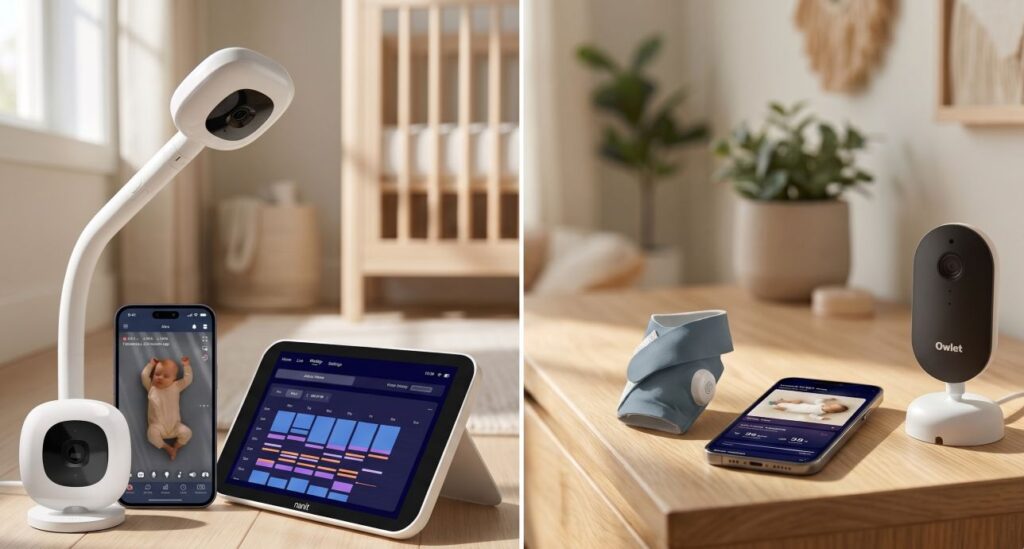
Nursery cameras generally split into two distinct hardware categories. Cloud-connected Wi-Fi cameras stream high-definition video to smartphones anywhere with cell service, though they depend entirely on home router stability and frequently place video history behind monthly subscriptions. Closed-loop radio monitors transmit directly from the nursery to a handheld receiver without touching the internet, trading remote phone access for local reliability.
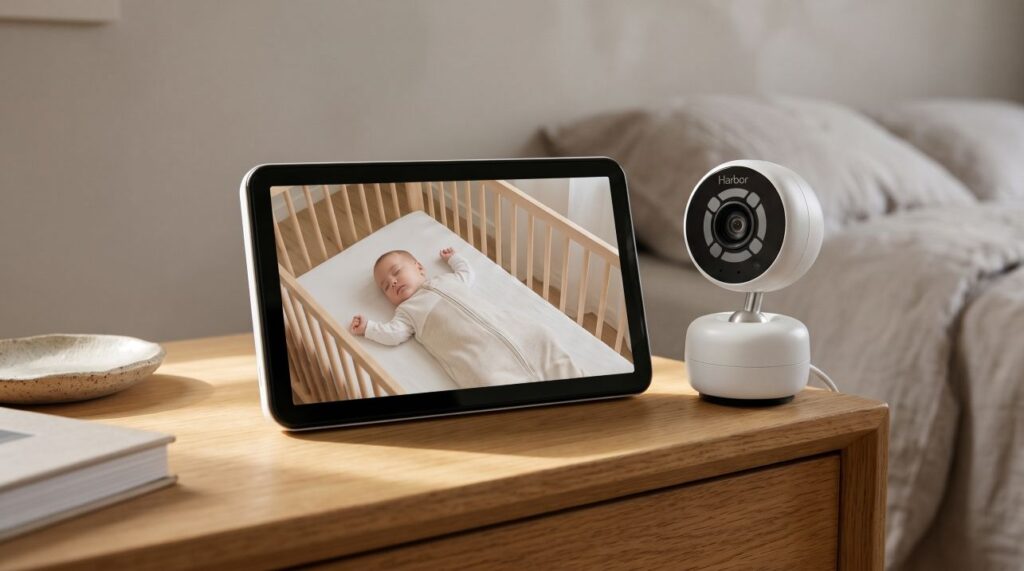
During testing for our guide to the Best Baby Monitors of 2026, the Harbor Baby Monitor stood out by combining both transmission methods in one unit. Harbor pairs a 10-inch dedicated local touchscreen monitor with an encrypted mobile and desktop application that operates with or without an active internet connection.
The system retails at $499 MSRP (Harbor Official Store), placing it above the base hardware price of both the Nanit Pro and the Owlet Dream Duo 3. This Harbor Baby Monitor review examines its dual-link signal performance through interior walls, the limitations of its fixed-angle lens, and its two-year ownership cost relative to subscription-dependent competitors.
Hardware Specifications and System Overview
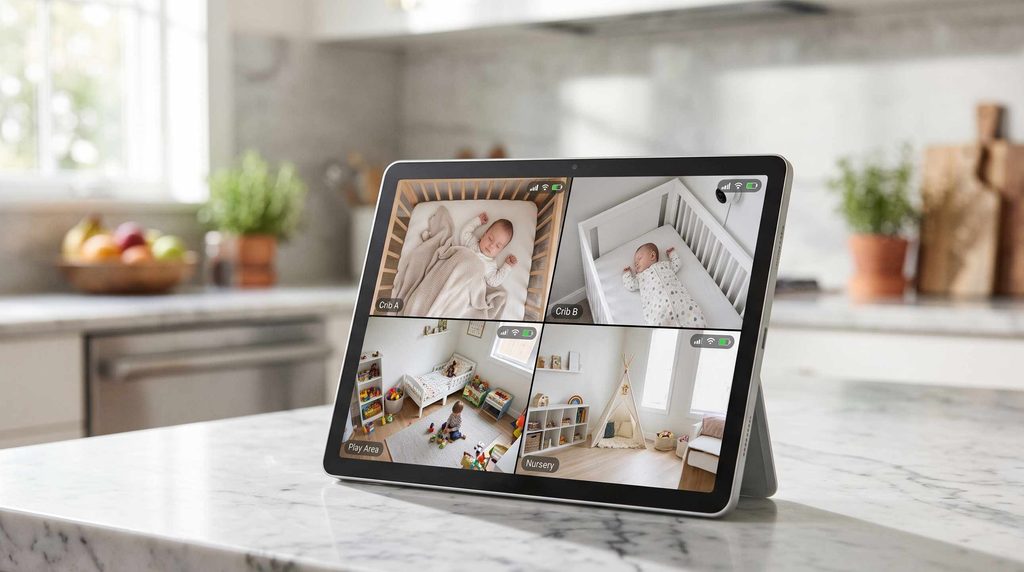
The Harbor Baby Monitor targets households that want a dedicated bedside screen alongside remote smartphone access, families traveling to hotels, and parents monitoring up to four rooms on a single split-screen display (Forbes Vetted 2026 Monitor Testing).
- Retail Price: $499 for one camera, one 10-inch touchscreen monitor, USB-C power cables, wall adapters, and mobile or desktop app access (Harbor).
- Connectivity: Simultaneous local direct radio link and cloud app streaming (Harbor).
- Parent Unit Display: 10-inch high-definition touchscreen that displays family photos in standby mode (Harbor; Forbes Vetted).
- Camera Sensor and Optics: Up to 2K (1440p to 2048p) video resolution with a 120-degree field of view and digital zoom (GearBrain).
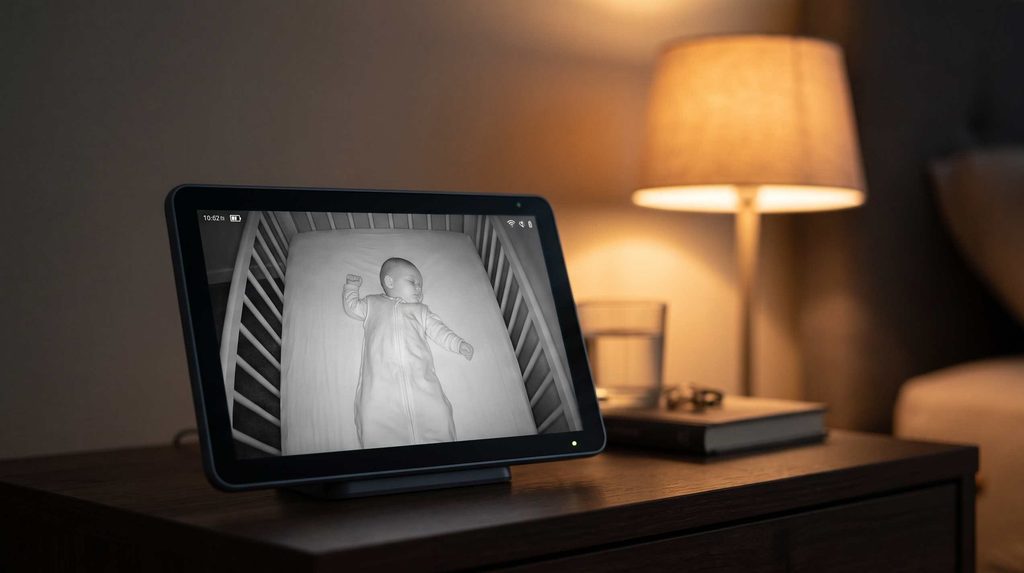
- Night Vision: Two 940nm infrared LEDs paired with a Nyxel near-infrared (NIR) low-light sensor (GearBrain).
- Battery Capacity: Up to 12 hours per charge using a 15W USB-C (5VDC 3A) power adapter (Harbor).
- Encryption Protocol: Mutual TLS (mTLS) authentication and local end-to-end encryption (Harbor).
- Multi-Camera Capacity: Displays up to four live camera feeds simultaneously on a split screen (Harbor).
- Subscription Structure: Zero monthly fee for 24-hour Record and Rewind history, local storage, guest access, and disconnect alerts; $14.99 per month after a 14-day trial for optional Harbor AI Alerting and Sleep Insights (Fathercraft).
Strengths
- Direct local streaming between the camera and the 10-inch monitor continues uninterrupted during home internet outages or off-grid travel (Harbor).
- Baseline purchase includes 24-hour video history (Record and Rewind), on-device storage, room temperature and humidity tracking, and unlimited guest profiles without subscription fees (Harbor AI Page).
- Two 940nm infrared LEDs illuminate dark rooms without projecting a visible red ring toward the crib (GearBrain).
- Failsafe disconnect alerts trigger an audible alarm on both the parent unit and smartphone if the camera loses power or signal (Harbor).
- Four-camera split-screen viewing displays up to four children on the 10-inch screen at the same time (Harbor).
Limitations
- The camera mount lacks motorized remote pan and tilt; changing the physical viewing angle beyond the 120-degree frame requires manual adjustment at the wall mount (Forbes Vetted).
- Upfront hardware cost reaches $499 for a single room and exceeds $800 when adding a second camera and extra monitor (Fathercraft).
- Automated sleep duration logs and custom AI boundary alerts require a $14.99 monthly plan after the 14-day trial period (Harbor).
Dual-Link Hybrid Architecture
Our analysis of the WiFi vs Non WiFi Baby Monitor category details the failure modes of single-channel monitors. Cloud-only cameras route video through your home router to external servers before reaching your phone. When a router reboots overnight or a phone operating system suspends a background app, audio monitoring stops silently.
The Harbor Monitoring System maintains two independent communication paths simultaneously.
Local Air-Gapped Operation for Home and Travel
Inside the home, the Harbor Camera transmits directly to the 10-inch touchscreen Monitor over a dedicated local link (Harbor). Local routing eliminates cloud relay latency, preserves home internet bandwidth, and keeps the bedside display active if external internet service fails.
Using a dedicated 10-inch display also frees up your smartphone overnight. Parents can leave their phones on silent while the tablet sits on the nightstand. During hotel stays, where captive portal login pages block standard Wi-Fi cameras from connecting, the Harbor Camera and 10-inch Monitor pair directly out of the suitcase as soon as both units plug into USB-C power (Fathercraft). Families camping without AC outlets can pair this setup with a portable power station or consult our guide to the Best Camping Baby Monitor.
Cloud App Streaming and Time-Limited Guest Access
When parents leave the house, Harbor routes the encrypted feed to the Harbor Mobile and Desktop App (Harbor). Sharing master account credentials with babysitters or relatives creates security vulnerabilities covered in our guide on Are WiFi Baby Monitors Safe?. Harbor addresses caregiver access in two ways: parents can leave the 10-inch Monitor on the kitchen counter in local mode, or assign time-bounded Guest Access permissions inside the app (Harbor AI Page).
Network Security and Mutual TLS (mTLS) Authentication
Most unauthorized logins on nursery cameras result from credential stuffing, where automated scripts test passwords leaked from unrelated data breaches against camera apps. Leading models in our 7 Best WiFi Baby Monitors of 2026 roundup, including the Nanit Pro and Owlet Dream Duo 3, require Two-Factor Authentication (2FA) and 256-bit encryption. Harbor adds Mutual TLS (mTLS) encryption alongside local traffic containment:
- Hardware-level mutual verification: Mutual TLS requires cryptographic authentication from both the camera and the receiving device before transmitting video (Harbor).
- Local network containment: When viewing the feed at home on the 10-inch Monitor or on a phone connected to the same local network, video packets remain inside the home network (Harbor).
- Offline operation: Parents seeking the closed-circuit isolation of our 5 Best Non WiFi Baby Monitors of 2026 can operate the Harbor Camera and 10-inch Monitor offline (GearBrain).
Video, Audio, and Night Vision Performance
2K Sensor Resolution and the Fixed 120-Degree Lens
The Harbor Camera captures video at up to 2K resolution (1440p to 2048p) and streams that feed directly to the 10-inch display (Forbes Vetted; GearBrain). The pixel density preserves fine detail when using pinch-to-zoom to check chest movement or pacifier placement.
The camera housing has one mechanical limitation: it lacks a motorized remote pan-and-tilt mechanism (Forbes Vetted). The lens covers a 120-degree field of view and supports digital zoom, but repositioning the physical camera angle requires tilting the wall mount by hand (GearBrain). Mounting the camera above a crib or bassinet captures the entire sleep surface within the 120-degree frame, whereas wide playrooms may require careful corner placement.
Two 940nm Infrared LEDs and Nyxel NIR Low-Light Imaging
Many nursery cameras surround the lens with six to eight 850nm infrared LEDs that glow dull red in dark rooms, which often attracts a waking infant’s attention. Harbor pairs Nyxel NIR low-light sensors with two 940nm infrared LEDs (GearBrain; Harbor). Because 940nm light sits outside the visible spectrum for human eyes, the camera face stays dark while rendering high-contrast monochrome night vision.
Smart Audio Thresholds and Failsafe Disconnect Alerts
Continuous white noise machines in the nursery (recommended in our Bassinet to Crib Transition Guide) often cause basic monitors to transmit constant static. Harbor’s Smart Audio lets parents set specific decibel, motion, and duration thresholds (Harbor; Forbes Vetted). The screen rests in standby mode and activates audio and video only when sound in the nursery exceeds the selected threshold (Forbes Vetted).
Harbor also builds Failsafe Notifications into both the parent unit and mobile app (Harbor). If the camera loses power, drops its connection, or runs low on battery, the monitor triggers an immediate audible alert and optional text or email notification (Forbes Vetted).
Included Features Versus the Optional $14.99 Monthly AI Plan
With Harbor, core video recording and multi-user permissions operate out of the box at zero monthly cost (Harbor AI Page; Fathercraft).
- Included at $0 per month: Live 2K local and remote streaming, 24-hour Record and Rewind video history stored on the device, unlimited user accounts, custom time-bounded Guest Access, Smart Audio and motion alerts, room temperature and humidity display, and four-camera split-screen viewing (Harbor AI Page; Forbes Vetted).
- Included in the optional $14.99 monthly plan (after a 14-day free trial): Automated Harbor AI Alerting and Sleep Insights, which logs sleep onset time, final wake-up time, total sleep duration, night wakings, crib removals, and custom AI room events such as a toddler climbing crib rails (Harbor).
Because 24-hour video rewind and caregiver access require no subscription, most households can operate the system indefinitely at the initial $499 purchase price.
Competitor Comparison: Harbor, Nanit Pro, Owlet Dream Duo 3, and Infant Optics
Parents comparing the top picks from our Best Baby Monitors of 2026 guide can weigh Harbor against three primary alternatives:
- Harbor Baby Monitor ($499): Hybrid local radio and cloud app system with a 10-inch touchscreen, 2K camera, four-camera split screen, and subscription-free 24-hour video rewind. Suited for frequent travelers, multi-child households, and parents who want a dedicated screen alongside app access.
- Nanit Pro ($289.99 camera only; $399 with 8-inch display bundle): Wi-Fi camera system that uses overhead computer vision to read a patterned Breathing Band. Suited for parents who want sensor-free breathing motion tracking and sleep heatmaps, though historical analytics require a Nanit Insights subscription ($9 to $25 per month after a 3-month trial).
- Owlet Dream Duo 3 ($379.99): Combines an FDA-cleared pulse oximetry Dream Sock with a 2K Dream Sight Wi-Fi camera. Suited for parents who want live heart rate and oxygen saturation (SpO2) readings on their smartphone, though it lacks a dedicated parent screen.
- Infant Optics DXR-8 Pro (around $199): Closed-loop FHSS non-Wi-Fi monitor with a 5-inch LCD screen, interchangeable optical lenses, and Active Noise Reduction. Suited for parents who want a sub-$200 local unit with zero smartphone connectivity (5 Best Non WiFi Baby Monitors).
Nursery Cord Placement and Safe Sleep Compliance
The U.S. Consumer Product Safety Commission (CPSC) and the American Academy of Pediatrics (AAP) warn that electrical cords placed within reach of a crib or bassinet create a strangulation hazard.
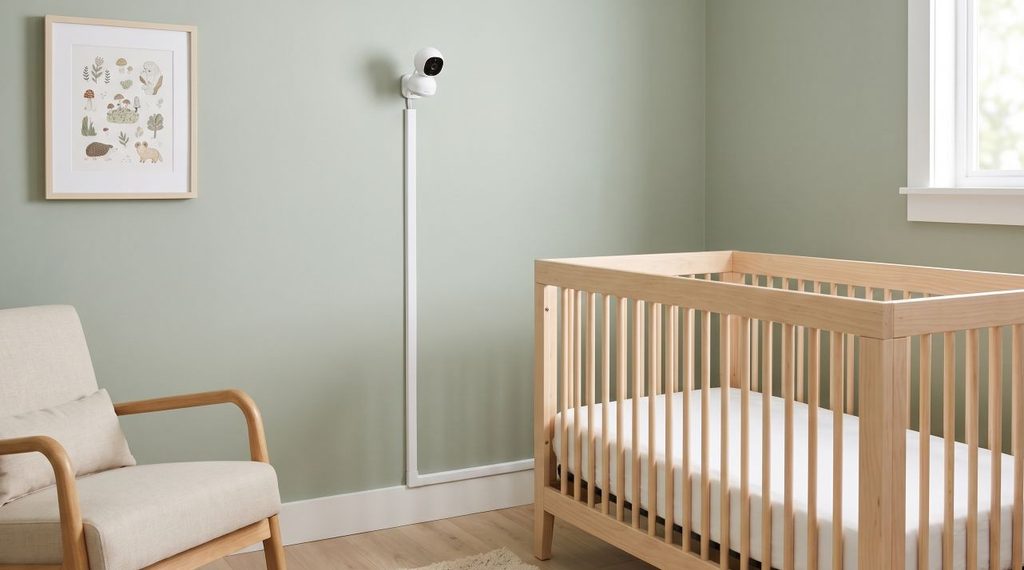
When mounting the Harbor Camera near a bedside sleeper from our Bassinet Buying Guide (2026) or a crib from The Ultimate Crib Buying Guide, apply three installation standards:
- Maintain a 3-foot clearance: Mount the camera and route the USB-C power cable at least 3 feet (1 meter) from any part of the crib, bassinet, or play yard (AAP Cord Safety Warning).
- Enclose vertical cables: Fasten wall cables inside rigid plastic cord conduits rather than using adhesive clips, and lower the mattress height before your infant begins pulling up to stand (see When to Lower Crib Mattress).
- Follow AAP safe sleep guidelines: As detailed in the AAP Safe Sleep Policy, place infants on their backs on a firm, flat, CPSC-compliant mattress fitted only with a tight sheet, free of loose bedding or soft objects.
Frequently Asked Questions
Does the Harbor Baby Monitor work without Wi-Fi?
Yes. The Harbor Baby Monitor links the Camera directly to the 10-inch Monitor over a local radio connection without requiring internet service (Harbor). Wi-Fi is necessary only when viewing the feed remotely through the mobile app.
Does Harbor require a monthly subscription?
No subscription is required for live viewing, 24-hour Record and Rewind playback, Smart Audio thresholds, or Guest Access (Harbor AI Page). The optional $14.99 monthly plan (after a 14-day trial) adds automated Harbor AI Alerting and Sleep Insights (Fathercraft).
How long does the Harbor 10-inch Monitor battery last?
The 10-inch Monitor operates for up to 12 hours per charge depending on screen brightness and audio activity, and charges via an included 15W USB-C adapter (Harbor).
How many cameras can the Harbor Monitor display at once?
Both the 10-inch Monitor and the mobile app display up to four cameras simultaneously in split-screen view (Harbor).
Summary Assessment
Households seeking a basic single-room display under $200 should review our 5 Best Non WiFi Baby Monitors of 2026. Families who want a 10-inch local screen that survives internet outages, a remote smartphone app secured with Mutual TLS, 2K night vision using 940nm infrared LEDs, four-camera split-screen viewing, and 24-hour video rewind without mandatory monthly fees will find the Harbor Baby Monitor the most capable hybrid system available in 2026.