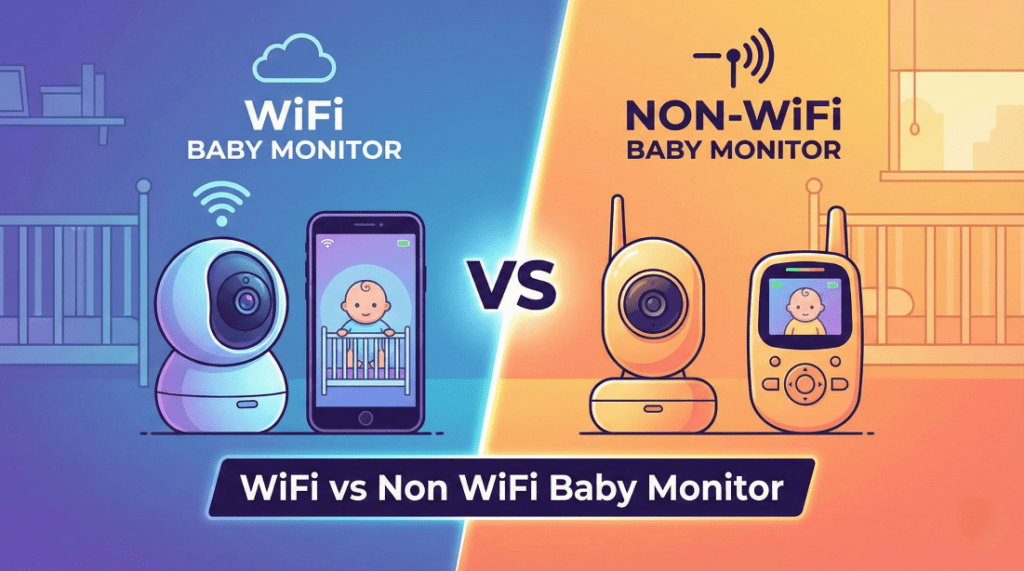
Deciding between a wifi vs non wifi baby monitor is often the first “tech war” new parents face. Do you choose the data-rich smart camera that lets you peek in from work, or the unhackable local monitor that guarantees privacy? In 2026, the gap between these two technologies has widened, making the choice less about “features” and more about your parenting philosophy.
If you are stuck in the “Smart vs. Secure” loop, this guide breaks down exactly how they differ, the safety risks of each, and which one wins the “Sleep Deprivation Test.”
Also Read our Extensive Guide: Best Baby Monitors of 2026: Tested for Safety, Sleep, and Sanity
The Core Difference: How Do They Work?
Before we pick a winner, let’s strip away the marketing jargon.
- WiFi Monitors (Cloud-Based): These cameras connect to your home internet router. They send video to a secure cloud server, which then beams it back to your smartphone app. This allows for unlimited range (you can watch from Tokyo) and advanced AI processing (like breathing analysis).
- Non-WiFi Monitors (Local RF): How do non wifi baby monitors work? They function like sophisticated walkie-talkies. The camera transmits a direct, encrypted radio signal (usually FHSS) to a dedicated parent unit (handheld screen). No internet, no servers, no apps.
Round 1: Security & Hacking
Winner: Non-WiFi
This is the biggest argument in the wifi vs non wifi baby monitor debate.
- Non-WiFi: Because they are “air-gapped” (not connected to the internet), they are 100% immune to remote hacking. A predator would need to park a van in your driveway with military-grade radio interceptors to see your feed.
- WiFi: While top brands like Nanit use banking-level encryption, the weak link is you. If you reuse a password or fail to enable Two-Factor Authentication (2FA), hackers can use “credential stuffing” to gain access.
- Read more: Are WiFi Baby Monitors Safe?
Round 2: Range & Connection
Winner: WiFi
- WiFi: Offers unlimited range. As long as you have 5G/LTE or WiFi, you can check on the baby. This is crucial for working parents or date nights.
- Non-WiFi: Limited by physics. Most claim 1,000 feet, but in a real house with walls, you get about 4 rooms of coverage. If you have a large estate or thick concrete walls, a best non wifi baby monitor might struggle to reach the backyard.
Round 3: Reliability (The “Buffering” Test)
Winner: Non-WiFi
- Non-WiFi: It just works. Instant video, zero lag. You turn it on, and you see the baby. No “spinning wheel of death” when your partner starts downloading a game on the Xbox.
- WiFi: Vulnerable to internet outages. If your router blinks out at 3 AM, you lose your “eyes.” Plus, there is always a 1-3 second delay (latency) between the cry and your phone buzzing.
Round 4: Features & Sleep Data
Winner: WiFi
- WiFi: This is where they shine. Features like “Morning Summaries,” breathing motion tracking (Nanit/Owlet), and “Covered Face” alerts (Cubo) are only possible with the cloud computing power of a best wifi baby monitor.
- Non-WiFi: Strictly video and audio. You might get a temperature sensor and a zoom lens, but don’t expect it to tell you how long the baby slept.
The “Bandwidth Hog” Factor: Internet Speed Requirements
One hidden cost of a WiFi monitor is the strain it puts on your home network. unlike a non-WiFi monitor that operates on its own private frequency, a wifi baby monitor is constantly uploading high-definition video to the cloud.
- Upload Speed Matters: Most parents know their download speed (for Netflix), but wifi monitors rely on upload speed. A 1080p camera requires about 2–4 Mbps of dedicated upload bandwidth. If you have DSL or rural internet with slow upload speeds, your monitor feed will freeze constantly.
- The “Zoom Call” Clash: If you work from home, be warned. Running a 2K baby monitor while on a Zoom video call can cause your meeting to lag because both devices are fighting for the same upload bandwidth.
- Data Caps: If your internet provider has a monthly data cap (common with satellite internet like Starlink), a WiFi monitor running 24/7 can chew through 300GB+ of data per month. A non wifi baby monitor uses zero internet data.
Installation & Setup: “Plug-and-Play” vs. “Pairing Purgatory”
How fast can you get the monitor running when you are exhausted? This is a major differentiator in the wifi vs non wifi battle.
- Non-WiFi (Instant Gratification): These are truly plug-and-play. You plug the camera into the wall, turn on the parent unit, and they connect instantly. There are no accounts to create, no QR codes to scan, and no passwords to remember. This makes them the best baby monitor for less tech-savvy caregivers.
- WiFi (The Setup Dance): Setting up a wifi monitor involves downloading an app, creating an account (with email verification), holding your phone in front of the camera to scan a QR code, and waiting for firmware updates. If you change your WiFi password or get a new router, you have to repeat this entire process—a nightmare if it happens at 2 AM.
Longevity & Resale Value: Will It Last 3 Years?
Baby gear is expensive, so you want a monitor that lasts or holds its resale value. Here is the ugly truth about smart tech.
- The “Software Rot” Risk (WiFi): A wifi baby monitor is dependent on the manufacturer keeping the app updated. If the company goes out of business or stops updating the app for new iPhones (as happened with the “iBaby” brand), your expensive camera becomes a paperweight.
- The Battery Fade (Non-WiFi): The weak spot of a non wifi baby monitor is the parent unit’s battery. After 2 years of daily charging, the battery life often drops from 10 hours to 2 hours.
- Pro Tip: Look for non-WiFi models with user-replaceable batteries (like the Infant Optics DXR-8 Pro). This simple feature can double the lifespan of your device and improve its resale value on Facebook Marketplace.
The Verdict: Which One Should You Buy?
Choose a WiFi Monitor If…
- You are a Data Geek: You want to track wake windows and sleep trends to optimize naps.
- You Work Away from Home: You need the emotional support of seeing your baby while at the office.
- You Want Less Clutter: You prefer using the phone you already carry rather than hauling around a separate parent unit.
- Our Pick: Best WiFi Baby Monitor
Choose a Non-WiFi Monitor If…
- Privacy is Your #1 Priority: You want zero risk of remote hacking.
- You Have a Slow Internet Connection: You don’t want the monitor hogging your bandwidth.
- You Want “Grandparent Simplicity”: Plug it in, turn it on, done. No passwords or app updates required.
- Our Pick: Best Non-WiFi Baby Monitor
The “New Mamaa” Hybrid Solution
Can’t decide? In 2026, you don’t have to. The emerging “Hybrid” category (like the eufy Baby Monitor) offers a dedicated local screen for reliable night monitoring plus an app for checking in when you’re away. It’s the expensive, but perfect, answer to the wifi vs non wifi baby monitor dilemma.
FAQs
Which is cheaper: WiFi or Non-WiFi?
Generally, non-WiFi monitors are cheaper upfront (brands like HelloBaby start under $80). Premium WiFi monitors often have a higher price tag plus monthly subscriptions for data storage.
Do WiFi monitors slow down my internet?
Yes. A 1080p WiFi camera is constantly uploading video. If you have a slow upload speed (under 10 Mbps), running a monitor might cause your Zoom calls or Netflix to lag.
How do non-wifi baby monitors work without internet?
They use Frequency Hopping Spread Spectrum (FHSS) technology. The camera and monitor are paired at the factory to “hop” between radio channels rapidly, creating a secure, private link that doesn’t require a router.
Can I use a WiFi monitor as a non-WiFi monitor?
Most standard WiFi monitors (like Nest or Cubo) become paperweights if the internet cuts out. Only “Hybrid” models can switch to a local mode during an outage.
Are non-WiFi monitors safer for radiation?
Both types emit safe levels of non-ionizing radiation. However, non-WiFi monitors often emit more continuous radiation because they are constantly transmitting to the parent unit. WiFi monitors often have lower emissions because they transmit data in short “bursts.”