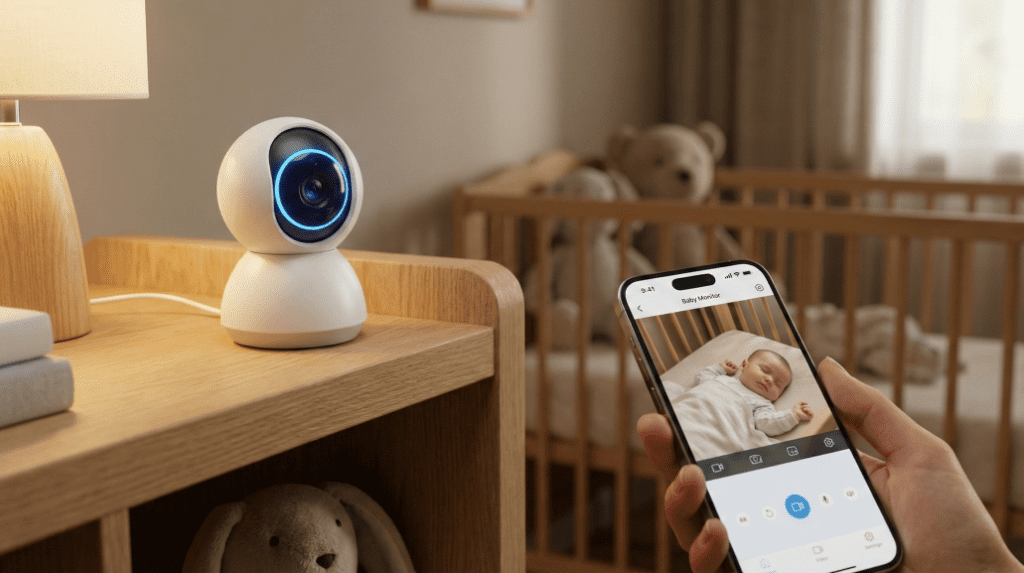
Finding the best baby monitor for your nursery is a journey that usually begins at 2 AM, fueled by caffeine and the haunting sound of a “phantom cry.” I know exactly how you feel because I’ve been there, standing in the middle of a dark hallway, straining to hear if that was a tiny cough or just the house settling, only to realize I’ve been staring at a grainy, frozen screen for five minutes. In 2026, the infant monitor landscape has shifted from simple “walkie-talkie” audio devices into a sophisticated ecosystem of health surveillance and developmental tracking.
A baby monitor is no longer just a luxury; it is a critical tool for parental sanity. Whether you are looking for a baby monitor camera that offers AI-driven sleep analytics or a non wifi baby monitor that prioritizes unhackable security, the options can feel overwhelming. This guide is designed to cut through the marketing fluff. We don’t just check if these devices turn on; we test if they stay connected when the microwave is running, if the night vision actually lets you see if their eyes are open, and if the battery can survive a 12-hour sleep regression. From the best baby camera for travel to the best infant camera monitor for twins, I’ve done the deep-dive research so you can finally close your eyes for twenty minutes.
Safety First: A “New Mamaa” Crash Course on Safe Sleep
The primary mandate of any infant monitoring system is to enhance the safety of the child by allowing for visual and auditory verification of their well-being. Safe sleep involves placing infants on their backs on a firm, flat surface, free of loose bedding or toys, to reduce SIDS risks.
When we talk about the best baby monitors, safety isn’t just a feature; it’s the entire point. According to the American Academy of Pediatrics (AAP), the gold standard for infant safety in 2026 remains the core pillars of SIDS (Sudden Infant Death Syndrome) risk reduction. The AAP explicitly states that every infant should be placed on their back for every sleep session. They must be on a firm, flat surface like a crib or bassinet that is completely free of bumpers, pillows, stuffed animals, or loose blankets. [Link to AAP Safe Sleep Page].
It is vital to understand that even the most expensive best infant camera is not a medical device designed to prevent SIDS. While high-tech options like the Owlet Dream Duo 2 have achieved FDA clearance for tracking pulse oximetry, they are intended for monitoring vital signs and should never replace direct parental supervision or a safe sleep environment. In 2026, the best baby monitor functions as a tool to facilitate “Room Sharing without Bed Sharing”. The AAP recommends infants sleep in the parents’ room on a separate surface for at least the first six months. A high-definition baby camera allows you to check if your little one is still on their back without physically entering the room and risking a “phantom check” that wakes them up.
The 2025/2026 AAP Safe Sleep Guidelines
AAP guidelines emphasize “Room Sharing,” where the baby sleeps in the parents’ room but on a separate, firm surface. This setup facilitates easier monitoring and breastfeeding while significantly reducing the risks associated with bed-sharing or unsafe sleep environments.
Using a wireless baby monitor supports these guidelines by providing a virtual window into the nursery. By 2026, the concept of monitoring has expanded from passive listening to proactive analysis of respiratory rates and sleep transitions. However, the physical environment remains the most important factor. Using a best nursery camera with a bird’s-eye view, like the Nanit Pro, helps caregivers ensure that no blankets have accidentally covered the infant’s face. Remember, technology is an assistant, not a substitute for the safe sleep foundations of a bare crib and a back-sleeping baby.
Cords are a Strangulation Risk: The 3-Foot Rule
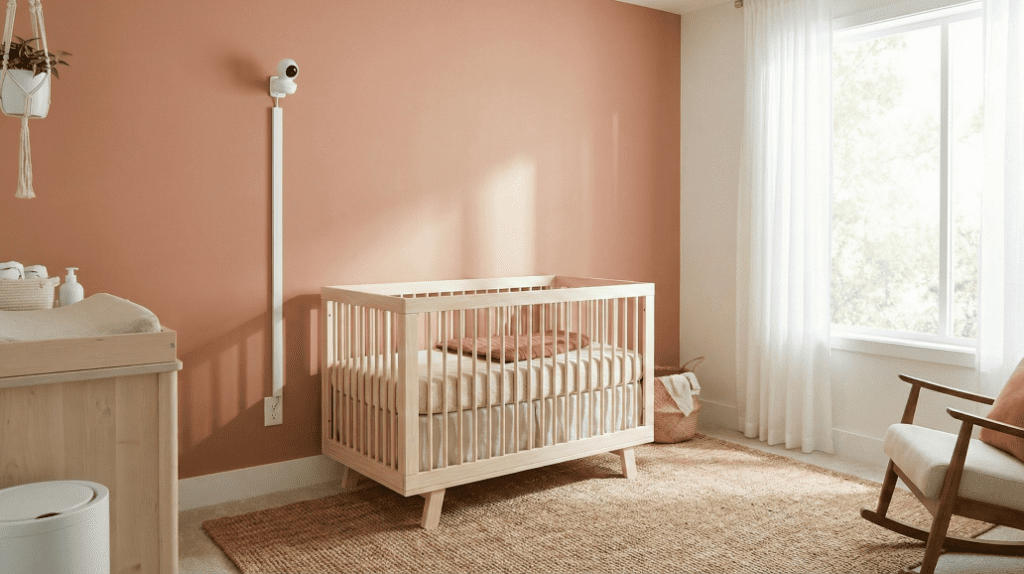
The “3-Foot Rule” is a mandatory safety guideline requiring all monitor components including cameras, cords, and adapters to be installed at least three feet away from any part of the crib. This prevents infants from reaching and pulling cords into the sleep space.
⚠️ CRITICAL SAFETY WARNING
Cord strangulation is a leading cause of monitor-related fatalities. You must visualize a “zone of reach” that expands as your child grows; a monitor that is safe for a newborn may become a lethal hazard for a 9-month-old who can stand.
To keep your baby monitor camera safe, follow these 2026 installation protocols:
- Rigid Management: Secure all cords to the wall using rigid plastic cord covers. Never rely on adhesive clips, which a determined toddler can easily peel off.
- Wall Mounting: The safest method is mounting the baby camera high on a wall near the ceiling, with the cord encased in a conduit all the way to the outlet.
- Distance: Always maintain a minimum distance of three feet (one meter) from the crib slats. [Link to CPSC Cord Safety Guide].
The EMF Radiation Debate: Should You Worry?
EMF (Electromagnetic Field) radiation in baby monitors refers to the RF energy used to transmit data. While exposure levels in 2026 monitors remain well below international safety limits, engineering quality rather than connection type determines the actual intensity of the radiation.
One of the biggest myths in the best baby monitor market is that a non wifi baby monitor is inherently “safer” or “greener” than a wifi baby monitor. Independent testing in late 2025 and 2026 has decisively refuted this. In fact, premium best wifi baby monitor models like the Nanit Pro often emit significantly less radiation than budget analog models. This is due to “packet bursting,” where WiFi monitors compress data into short bursts and reduce power when the signal is strong.
Conversely, many local baby monitor systems (using FHSS or DECT) broadcast continuously at maximum power to maintain a link through walls. Testing showed that a budget Babysense monitor emitted up to 74 times more RF radiation than a Nanit Pro at a distance of six feet. While all these levels are still far below ICNIRP public exposure limits, many parents remain concerned about long-term developmental effects.
The Science: Non-Ionizing Radiation
Baby monitors emit non-ionizing radiation, which lacks the energy to damage DNA directly. Premium monitors utilize directional antennas and power modulation software to minimize emissions, only transmitting data when motion or sound is detected in the nursery.
To put it in perspective, the highest recorded radiation from a portable baby monitor in 2026 testing was 12.64 mW/m², while the safety limit is 10,000 mW/m². If you are looking for the best affordable baby monitor but are worried about EMF, the “Inverse Square Law” is your best friend. Doubling the distance from the camera reduces radiation intensity by roughly 75%.
The Solution: “Low Emission” Strategies
The most effective way to reduce EMF exposure is distance. Placing any baby monitor 6 to 10 feet away from the crib ensures that even a high-output device emits negligible radiation relative to the infant.
- Use VOX Mode: Choose a best infant camera monitor with a Voice Operated Exchange (VOX) or ECO mode. This stops the continuous transmission of data until a sound is detected, drastically reducing RF “flooding”.
- Optimal Placement: A best baby camera placed 6 feet away is safer than a “low emission” monitor placed on the crib rail.
Hacking Nightmares: How to Lock Down Your Nursery
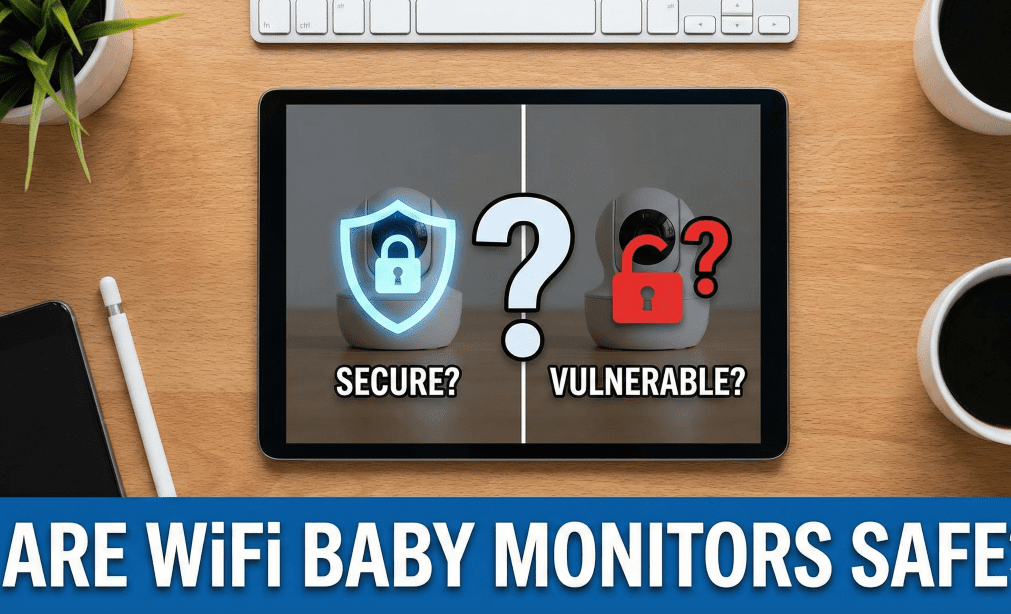
Cybersecurity for baby monitors involves protecting the device from unauthorized remote access. WiFi monitors are vulnerable to “credential stuffing” if passwords are reused, while non-WiFi monitors use “air-gapped” local signals that are nearly impossible to hack remotely.
We’ve all seen the headlines: a mother in Colorado hearing a stranger’s voice through her wifi baby monitor. While terrifying, these incidents are rarely the result of a sophisticated hack into the company’s servers. Instead, they usually happen because of “credential stuffing” where hackers use passwords stolen from other site breaches to log into your baby monitor app. If you want a 100% hack-proof solution, a non wifi baby monitor (FHSS/DECT) is the only choice, as it is “air-gapped” from the internet.
WiFi vs. FHSS: The Security Split
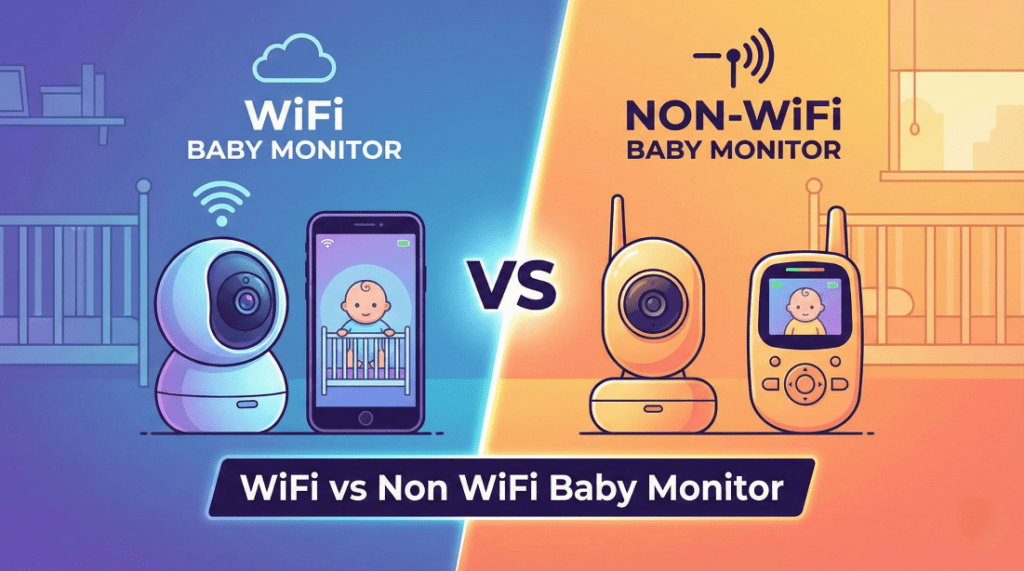
WiFi monitors offer global range but require robust digital security like Two-Factor Authentication (2FA). FHSS (Frequency Hopping Spread Spectrum) monitors offer local security that requires a physical presence within signal range to intercept, making them the “gold standard” for privacy.
- WiFi Security: If you choose a best wifi baby monitor, ensure it mandates 2FA. Models like the Cubo Ai and Nanit now use this as a standard to prevent unauthorized logins.
- Local Security: A best local baby monitor like the Infant Optics DXR-8 Pro uses a closed-loop system. A hacker would literally have to be in your front yard with specialized radio equipment to see your feed.
Confused by the difference? Read our WiFi vs Non-WiFi Baby Monitor showdown.
Actionable Tip: The Default Password Tutorial
Changing the default password and updating firmware are the two most critical steps for securing a smart monitor. Modern WiFi monitors handle firmware updates automatically (“Over-the-Air”), ensuring the latest security patches are always active.
- Unique Password: Never reuse your Netflix or Gmail password for your baby monitor camera.
- Enable 2FA: If the app offers it, turn it on immediately.
- Firmware Hygiene: Check for updates weekly if your monitor doesn’t update automatically.
🥑 Emily’s Real Talk Corner #1: The Anxiety Loop
I remember the first night we brought my daughter home. I had the best baby monitor money could buy perched over her crib like a gargoyle. Instead of sleeping during that precious four-hour window, I sat in bed, zooming in on her chest to see if it was moving. I was stuck in the “Anxiety Loop.”
Here is the truth: No infant monitor can replace your motherly instinct, but the right one can validate it so you can actually rest. If you are a high-anxiety mama, a monitor that tracks vitals might be your savior. If seeing the data makes you more nervous, a simple non wifi baby monitor might be better for your mental health.
How We Ranked Them: The “Sleep Deprivation” Test
Our ranking methodology involves rigorous testing of range through physical obstacles, immunity to microwave interference, battery longevity, and night vision clarity. We prioritize real-world performance over laboratory “open field” claims.
To find the best baby monitor, we put these devices through the wringer. We ignored the “1,000-foot range” claims on the box because nobody lives in an open field. We focused on how these cameras perform in a real home with walls, floors, and messy WiFi signals.
- Range Test: We measure in “walls”. A long range baby monitor should penetrate at least 4 interior walls or 2 floor slabs without dropping the feed.
- The Microwave Test: Since microwaves operate at 2.45GHz, they often kill the signal of a wireless baby monitor. We run a 1000W microwave to see which monitors freeze.
- Battery Drain: We test “Screen On” time. The best portable baby monitor should last at least 10-15 hours in VOX mode.
- Night Vision: We test at 0 lux to see if the infrared sensor can distinguish between a baby’s open eyes and a sleep sack.
Top Picks at a Glance (The Winners)
The winners of 2026 are categorized by their primary strength, ranging from AI-powered sleep analytics to hack-proof reliability and hybrid flexibility.
| Category | Model | WiFi? | Key Feature | Best For |
| Best Overall (Smart) | Nanit Pro | Yes | Sleep Analytics | Data-Driven Parents |
| Best Overall (Local) | Infant Optics DXR-8 Pro | No | Active Noise Reduction | Privacy & Reliability |
| Best Hybrid | Harbor | Both | Local + App | Modern Tech Adopters |
| Best for Vitals | Owlet Dream Duo 2 | Yes | FDA-Cleared SpO2 | Medically Fragile/Anxiety |
Best WiFi Baby Monitors (The “Smart” Choice)
WiFi baby monitors leverage the processing power of the cloud to deliver advanced features such as unlimited range via cellular data, machine-learning-driven safety alerts, and automated sleep tracking. These devices are designed for data-driven parents who want to monitor their nursery from anywhere in the world.
[Also Read]: Read our full showdown of the Best WiFi Baby Monitors.
Why Choose WiFi? (Pros & Cons)
A WiFi baby monitor is the ideal choice for parents who value remote accessibility and deep data insights. By connecting to your home network, these systems transform your smartphone into a powerful infant monitor that works as long as you have an internet connection.
- Unlimited Range: You can check in on your baby from the office, a grocery store, or during a rare date night, provided you have cellular data or a remote WiFi connection.
- Deep Sleep Analytics: These monitors use computer vision to track wake windows, sleep cycles, and how many times your baby woke up during the night.
- Automated Memories: Many models automatically capture “milestone” videos or time-lapse summaries of your baby’s night.
- The Cons: The primary drawbacks include a dependence on internet stability and potential latency (lag) between the actual cry and the notification on your phone.
Top Pick: Nanit Pro Camera
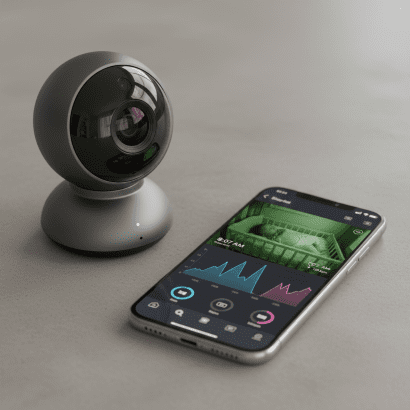
The Nanit Pro retains its position as the best WiFi baby monitor of 2026 by offering the most comprehensive suite of sleep analytics without requiring electronic wearables to be attached to the infant. It is a data powerhouse that helps parents navigate sleep training with precision.
The “Overhead View” is the Nanit’s secret weapon. When mounted directly over the crib, the camera uses sophisticated computer vision to track every movement.
- Breathing Motion Tracking: Using a specially patterned “Breathing Band” or swaddle, the Nanit analyzes pixel movement to detect the rise and fall of the baby’s chest.
- Smart Alerts: It provides “Morning Summaries” and “Heat Maps” to show you exactly where your baby moved and how they slept.
- Background Audio: Even if you are using other apps or your phone screen is off, the audio stream remains active so you can hear your baby at all times.
- Cost of Ownership: While the hardware is premium, keep in mind that a subscription is required after the first year to access detailed sleep history and insights.
The Runner Up: Cubo Ai Plus
The Cubo Ai Plus is the best baby camera for safety-focused parents, featuring an industrial design shaped like a bird and an AI processor specifically trained to detect dangerous nursery situations.
- Covered Face & Rollover Detection: The AI alerts you immediately if the baby’s nose or mouth is covered by bedding or if they have rolled onto their stomach.
- Danger Zone Alerts: As your baby grows into a toddler, you can set digital boundaries; if they climb out of the crib or enter a “danger zone,” you get a notification.
- Environmental Sensing: It tracks nursery humidity and temperature, alerting you if the room becomes too hot or dry.
- Considerations: Some users report slightly higher latency than the Nanit, and the “Cry Detection” can occasionally be triggered by loud external noises.
Best Budget WiFi Option
The best budget baby monitor in the WiFi category provides reliable HD streaming and two-way talk without the high price tag of premium AI analytics. Finding a balance between cost and security is key when shopping for the best baby monitors on a budget. You don’t need to spend $300 to get a secure, crystal-clear view of your nursery; you just need to know which “bells and whistles” are actually worth your money.
Essential Features vs. Premium Fluff
When hunting for the best affordable baby monitor, prioritize the “Big Three”: 1080p resolution, secure Two-Factor Authentication (2FA), and reliable background audio. While you might miss out on “Morning Summaries” or “Face Covered” AI alerts, a budget wifi baby monitor still offers the primary benefit of unlimited range. This allows you to check in from your smartphone while at work or out for dinner without breaking the bank.
- 1080p Video Quality: Even budget models in 2026 should offer Full HD to ensure you can see if your baby’s eyes are open.
- Two-Factor Authentication (2FA): This is a non-negotiable security feature for any best baby camera connected to the internet to prevent hacking.
- Background Audio: Look for apps that continue to stream sound even when your phone screen is locked a feature often missing in generic security cameras.
Why a “Nanit Dupe” Might Be Your Best Bet
Many parents search for a “Nanit dupe” a baby monitor camera that offers a similar bird’s-eye view and app experience at a fraction of the cost. By skipping the expensive “Breathing Wear” subscriptions, these budget alternatives focus on high-quality video and motion alerts. Some even include a baby temperature monitor built directly into the camera base, providing essential environmental data for under $100.
- Local Storage Options: Many budget best baby monitors include a microSD card slot, allowing you to record footage without paying for a monthly cloud subscription.
- Flexibility: Because they are affordable, these are often the best portable baby monitor options for keeping at a grandparent’s house or in a travel bag.
Best Non-WiFi Baby Monitors (The “Secure” Choice)
A non-WiFi baby monitor uses a dedicated, closed-loop radio frequency (typically FHSS or DECT) to transmit video and audio directly to a parent unit. These systems are 100% hack-proof and do not require an internet connection to function.
[Also Read]: Read our full showdown of the Best Non WiFi Baby Monitors.
Why Choose Non-WiFi (FHSS)?
Choosing a non-WiFi baby monitor is the best move for parents who prioritize privacy and “plug-and-play” simplicity. Because these devices are air-gapped from the internet, they are immune to remote hacking.
- 100% Hack-Proof: A perpetrator would have to be physically within signal range (usually your yard) with specialized equipment to intercept the feed.
- Zero Lag & Buffering: Unlike WiFi, there is no “spinning wheel of death.” The video is a direct, real-time feed.
- Reliability: These monitors are unaffected by internet outages or router failures, making them the most dependable choice for overnight monitoring.
- Simplicity: They are incredibly easy for grandparents or sitters to use since no app downloads or account setups are required.
Top Pick: Infant Optics DXR-8 Pro
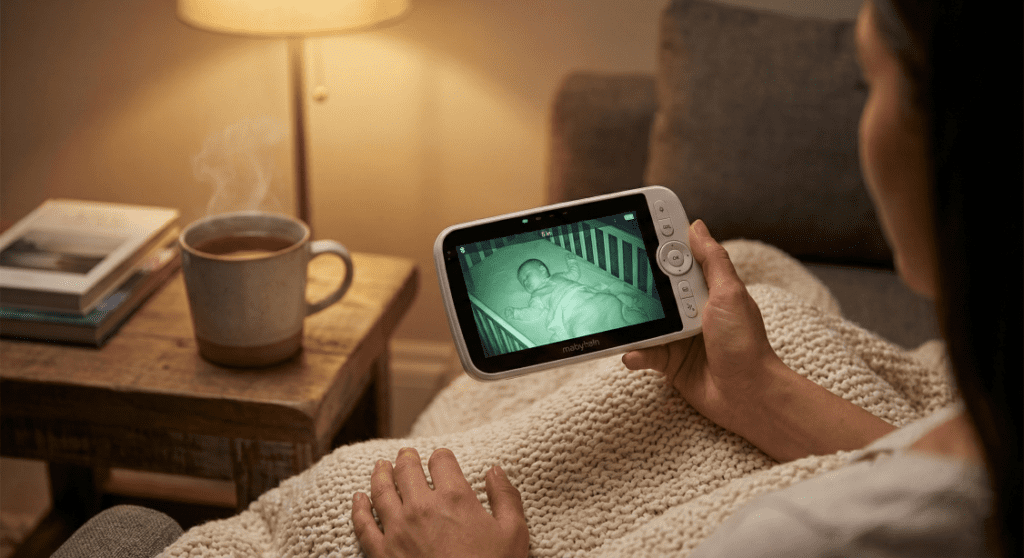
The Infant Optics DXR-8 Pro is the definitive choice for the best baby monitor with a screen, offering superior audio engineering and a completely secure, closed-circuit connection.
- Interchangeable Optical Lenses: Unlike monitors that use grainy digital zoom, the DXR-8 Pro features physical lenses. You can swap between a zoom lens for a close-up of the crib or a wide-angle lens for the whole room.
- Active Noise Reduction (ANR): This game-changing feature filters out the background hum of white noise machines while amplifying the actual sound of your baby’s cry.
- Durability: The parent unit is built for real life; it features a 5-inch screen and is known for surviving the inevitable drops on the kitchen floor.
- Longevity: It features a user-replaceable battery, meaning you don’t have to throw the whole unit away when the battery eventually degrades after a few years.
Also Read : Best camping Baby Monitors
Longest Range Baby Monitor (Non-WiFi): Bonoch Long Range
The Bonoch Long Range has become the 2026 industry leader for large homes, utilizing a powerful 2.4GHz FHSS signal that can penetrate multiple walls and floors.
- Punch-Through Power: While marketed for 1,800 feet in an open field, its real strength is maintaining a fluid feed through 4-5 interior walls or concrete slabs.
- Massive Battery: It boasts a 7800mAh battery, providing nearly double the runtime of average monitors; perfect for those who forget to plug in the parent unit at night.
- Best for Large Estates: This is the best infant camera for parents who need to monitor a baby on the third floor while they are in the basement or garage.
Best Audio-Only Monitor: VTech DM221
An audio-only baby monitor is a cost-effective, reliable tool for parents who find constant video feeds anxiety-inducing or who need a simple secondary device for travel.
- DECT 6.0 Technology: This creates a crystal-clear, interference-free audio link on a frequency separate from your home WiFi.
- Vibration Alerts: The parent unit features a belt clip and can vibrate when it detects a cry essential for when you’re vacuuming or in a noisy room.
- Budget-Friendly: This is often cited as the best budget baby monitor for grandparents’ houses or as a “just in case” backup.
🥑 Emily’s Real Talk Corner #2: The Hotel WiFi Disaster
I’ll never forget our first “vacation” with the baby. I brought my fancy best wifi baby monitor, feeling totally prepared. But when we got to the hotel, the WiFi had a “splash page” (you know, where you have to enter your room number and last name). My monitor couldn’t “click” the button to join.
I spent two hours in a dark hotel bathroom, door cracked, trying to hear if she was crying while the monitor sat useless in my suitcase. Lesson learned: If you travel, always pack a non wifi baby monitor or a simple audio unit like the VTech. It’s the “plug-and-play” insurance every mama needs.
Best Health & Vital Tracking Monitors
By 2026, the boundary between consumer electronics and medical devices has effectively evaporated in the premium monitor segment. Health and vital tracking monitors use advanced biometrics to monitor physiological signals like heart rate, oxygen levels, and respiratory patterns, providing real-time alerts if values fall outside safe thresholds.
Understanding “Medical” vs. “Consumer” Devices
The regulatory environment for vital monitors shifted dramatically following the FDA’s 2021 intervention regarding diagnostic marketing. Today, a critical distinction exists between “general wellness” devices and those with “De Novo” or “BabySat” FDA clearance, which are clinically validated as equivalent to hospital-grade equipment.
- FDA-Cleared Monitors: Devices like the Owlet Dream Sock have secured clearance, meaning their heart rate and oxygen saturation (SpO2) readings are medically validated measurements rather than “guesstimates”.
- Consumer/Wellness Monitors: These track “wellness” trends rather than diagnostic medical data. While helpful for many, the FDA warns that unauthorized devices should not be used as the sole source for clinical decisions or as a preventative measure for SIDS.
Best Wearable: Owlet Dream Duo 2

The Owlet Dream Duo 2 remains the premier wearable monitor, utilizing a fabric “smart sock” equipped with medical-grade pulse oximetry technology to track live health vitals.
- Vital Tracking: It continuously monitors heart rate and oxygen saturation (SpO2) levels.
- Pros: Offers immense peace of mind to parents of medically fragile infants or those with high respiratory anxiety by providing validated data.
- Cons: Physical compliance can be an issue; babies may kick the sock off, and some parents report skin irritation or “red marks” from prolonged contact. False alarms can also occur if the sock is not fitted perfectly.
Best Non-Wearable: Nanit Pro
For parents who want vital insights without physical attachments, non-wearable monitors like the Nanit Pro use advanced computer vision to detect “breathing motion” by analyzing pixel changes.
- How it Works: The Nanit camera tracks the movement of a specially patterned “Breathing Band” swaddle. As the baby breathes, the computer vision algorithm detects the rise and fall of the pattern.
- Alternative Tech (Radar): Some non-wearables, like the Miku Pro, utilize frequency-modulated continuous-wave (FMCW) radar to measure chest movement without needing a specific pattern.
- Trade-offs: These are “zero contact” devices that require no charging or skin contact. However, they track respiratory rate (RPM) only; they cannot measure blood-gas levels like oxygen saturation.
The “Hybrid” Monitors (Best of Both Worlds)
Hybrid monitors represent a pivotal architecture for 2026, combining the fail-safe reliability of a local radio frequency (RF) parent unit with the global reach of a WiFi-connected smartphone app.
What is a Hybrid Monitor?
A hybrid monitor is a dual-link system that streams video directly to a dedicated local monitor while simultaneously bridging the feed to the cloud for remote viewing.
- The “Holy Grail” of 2026: It resolves the trade-off between security and connectivity. If your home internet fails, the local monitor continues to function; if you go on a date night, the app allows you to check in from your phone.
- Security & Travel: Because they can function without WiFi, hybrids are perfect for travel to hotels where “splash page” internet often blocks traditional smart cameras.
Top Pick: Harbor Baby Monitor
The Harbor monitor is the breakout hybrid of 2026, designed to act as a secure “command center” for the nursery.
- Dedicated Hardware: It includes a massive 10-inch local monitor that doesn’t rely on your phone’s battery or app stability.
- Resilience: The system is “air-gapped” for local use but offers app access when needed, making it both hack-resistant and globally accessible.
Baby Temperature Monitor: Beyond Basic Alerts
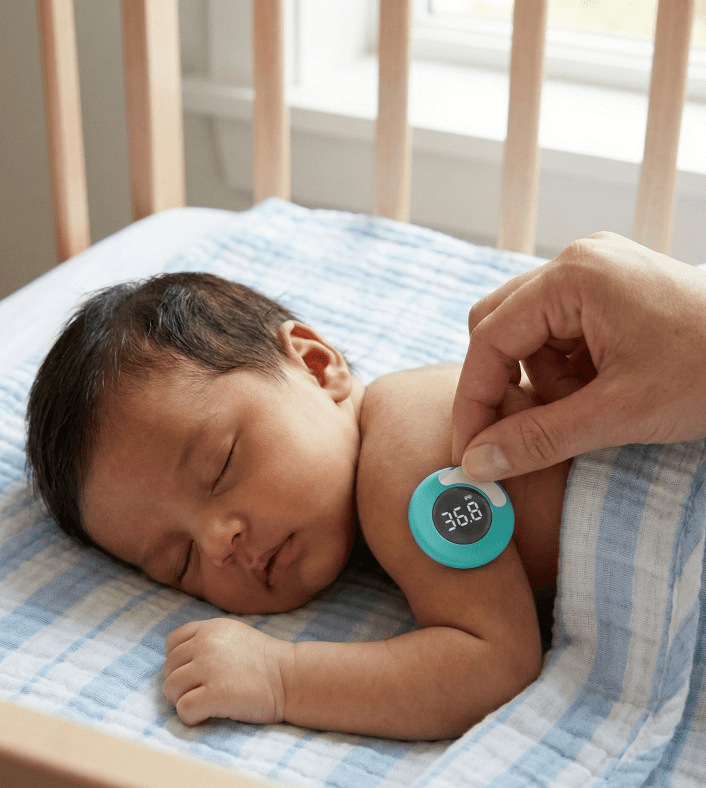
While many standard monitors track the air in the nursery, a dedicated baby temperature monitor is designed to provide medical-grade accuracy of your infant’s actual body temperature. In 2026, the best baby monitors in this category utilize wearable technology to offer continuous, non-invasive fever tracking, allowing you to monitor your child’s health without waking them for a manual reading.
Clinical Precision and Continuous Tracking
The best baby monitors for health tracking focus on clinical-level accuracy, often within ±0.2°F. Unlike the ambient sensors found in a traditional baby monitor camera, a wearable baby temperature monitor like the Momcozy T31 tracks trends every few seconds. This allows parents to see if a fever is breaking or rising through real-time charts on their smartphone, providing a level of detail that a one-off ear or forehead thermometer simply cannot match.
Smart Alerts for Fever Management
When your little one is under the weather, the best baby monitors act as a 24/7 health sentinel. You can set customized high-temperature alerts that will trigger an alarm on your phone the moment your baby’s temperature crosses a safe threshold. This is a game-changer for “zombie mode” nights, as it ensures you are alerted to a spiking fever immediately, allowing for timely medical intervention or medicine administration while the baby continues to rest.
Best Baby Temperature Monitor: Momcozy Wearable Digital Thermometer
The smart Baby Temperature Monitors like Momcozy Wearable Digital Thermometer can be your best bet for monitoring baby temperatures remotely. The Momcozy Wearable Digital Thermometer (Model T31) is a medical-grade device designed for continuous, high-precision temperature monitoring of infants and kids.
Using a built-in high-performance sensor and compensation algorithm, it provides instant, clinical-level readings with an accuracy of ±0.2°F (±0.1°C). The device attaches discreetly to the baby’s underarm using hypoallergenic 3M adhesive stickers that meet ISO 10993 skin safety standards, allowing for “unfelt” wearing that won’t disturb their sleep. Parents can track temperature trends every 5 seconds via a Bluetooth-connected mobile app (up to a 10-meter range), which features a high-temperature alert function and generates easy-to-read trend charts. With an ultra-long battery life of 180 hours and a compact, sealed storage case, it is a reliable tool for both home and travel use.
Avoiding “Ghost” Readings: Proper Sensor Placement
To prevent inaccurate or “ghost” readings with a wearable thermometer like the Momcozy T31, the sensor must maintain full, consistent contact with the skin in the deepest part of the axillary (armpit) fold. Unlike standard baby monitors with temperature sensors that measure ambient air, wearable digital thermometers are designed to track core body temperature trends.
- Adhesive Hygiene: To maintain both hygiene and accuracy, the disposable medical-grade sticker should be replaced every 8 hours.
- Skin-to-Sensor Contact: For clinical-level precision of ±0.2°F, the underarm area must be cleaned and dried with a wipe before application to ensure the hypoallergenic 3M adhesive adheres firmly.
- The “Insulation” Rule: Avoid placing the sensor where the infant will lay directly on it. While this might seem counterintuitive, lying on a probe can “insulate” it, resulting in an inaccurately high reading.
- Arm Positioning: Once the patch is attached, the baby’s arm should be held against their chest to secure the thermometer and stabilize the reading.
- Environmental Stability: If your baby has just been bathed, swaddled in multiple layers, or active, wait 20 to 30 minutes before relying on the digital readout to allow their skin temperature to stabilize.
Baby Breathing Monitor: Camera vs. Wearable Tech
A baby breathing monitor provides peace of mind by tracking the rise and fall of an infant’s chest. These devices range from “zero-contact” computer vision systems to physical sensors attached to the baby’s clothing.
Computer Vision: The Sensor-Free Revolution
The Nanit Pro is widely considered the best baby monitor for breathing because of its “Breathing Band” technology. By using computer vision to analyze the pixel movement of a custom-patterned swaddle, it tracks breaths per minute (RPM) without any electronics touching the baby’s skin. This eliminates the need for charging small batteries or worrying about skin irritation from wearables.
Radar and Pulse Sensing for Motion Detection
Other contenders for the best baby monitors in the breathing category utilize radar or contact sensors. Systems like the Miku use frequency-modulated continuous-wave (FMCW) radar to “see” breathing through blankets and pajamas. Meanwhile, clip-on monitors like the Snuza provide a localized vibration and alarm if no movement is detected for 20 seconds, acting as a budget-friendly alternative to high-end camera systems.
Infant O2 Monitor: Medical-Grade Peace of Mind
An infant O2 monitor measures blood oxygen saturation (SpO2), providing a deeper level of health data than a standard motion sensor. In 2026, these are the best baby monitors for parents managing medical anxieties or respiratory concerns.
FDA Clearance and Clinical Validation
The biggest shift in 2026 is the emergence of FDA-cleared consumer devices. When searching for the best baby monitors with medical capabilities, look for those with “De Novo” clearance, like the Owlet Dream Sock. This certification means the device’s oxygen and heart rate readings are clinically validated and equivalent to hospital-grade equipment, moving them beyond simple “wellness” gadgets.
Managing SpO2 Data and False Alarms
While an infant O2 monitor offers unparalleled data, it can be a source of anxiety if not used correctly. Wearable sensors require a snug fit to prevent “false alarms” or drop-outs in data. The best baby monitors in this category provide detailed historical graphs that you can share with your pediatrician, allowing for a collaborative approach to monitoring your baby’s respiratory health during sleep.
Baby Foot Monitor: The Rise of Smart Wearables
A baby foot monitor, commonly referred to as a “Smart Sock,” is a wearable device that wraps around the infant’s foot to track vitals continuously throughout the night.
All-Night Vital Tracking and Accuracy
A baby foot monitor uses PPG (photoplethysmography) sensors to track heart rate and oxygen levels directly through the skin. Because the sensor is secured by a fabric wrap, it is often more accurate than camera-based systems that can be blocked by a stray blanket or a change in lighting. For parents of “active sleepers,” these are often the best baby monitors because the sensor stays in place even if the baby kicks or rolls.
Logistical Maintenance: Charging and Cleaning
One drawback of the best baby monitors with foot sensors is the maintenance requirement. These tiny socks need to be charged daily; usually while the baby is awake; and the fabric must be washed frequently to avoid “sock marks” or skin irritation. Despite the extra work, the ability to have a hospital-grade monitor in your diaper bag makes them a favorite for families who travel frequently or have infants with specific health needs.
Detailed Buying Guide: The Technical Glossary
Understanding the “alphabet soup” of monitor specs; from resolution to PTZ; is essential for matching a device to your nursery’s specific layout and your child’s developmental stage.
Monitor Resolution (720p vs 1080p vs 2K)
While resolution dictates image clarity, night vision quality is often more important for infant monitoring since most viewing occurs in total darkness.
- 720p (HD): Sufficient for small 5-inch screens but can look “blocky” when using digital zoom.
- 1080p (FHD): The standard for high-end WiFi monitors like Nanit, providing clear images on smartphones.
- 2K/4K: Found in monitors like Harbor; these high resolutions allow for “lossless” digital zoom, meaning you can zoom in to see if a baby’s eyes are open without the image becoming pixelated.
940nm vs. 850nm Infrared (Invisible Night Vision)
Night vision quality is a deciding factor for the best baby monitors, as it determines how clearly you see your child in 0 lux conditions. Most cameras use 850nm LEDs, which emit a faint, distracting red glow. Premium 2026 models like the Harbor use 940nm “Invisible” IR, ensuring the nursery stays pitch black so your baby isn’t startled by a “disco light” on the camera.
Field of View (PTZ – Pan Tilt Zoom)
Field of View (FOV) determines how much of the room you can see. Stationary cameras are fixed, while Mechanical PTZ allows the camera head to physically rotate via the parent unit.
- Stationary (Static): Best for infants in a fixed crib. A wide-angle lens (typically 130°) is usually enough to cover the mattress area.
- PTZ (Pan-Tilt-Zoom): Essential once your baby starts crawling or transitions to a toddler bed. It allows you to “follow” the child around the room.
Interference and Frequency Hopping (FHSS)
The best baby monitors must handle the “Wild West” of 2.4GHz interference from microwaves and routers. Non-WiFi monitors use Frequency Hopping Spread Spectrum (FHSS) to “hop” between channels to find a clear signal. However, the high-power noise from a 1000W microwave can still cause budget monitors to freeze or drop audio, which is why we test for signal stability during kitchen appliance use.
Battery Life & VOX Mode
Battery life is the “weak link” of local monitors. VOX (Voice Operated Exchange) or “ECO” mode is the primary defense against a dead parent unit.
- What is VOX?: In this mode, the screen stays black and the audio mutes until the camera detects a sound above your set threshold.
- Sanity & Power: This prevents the screen from draining power all night and keeps the room dark for you until the baby actually needs you. Leaders like the Infant Optics DXR-8 Pro can last 10–15 hours in VOX mode.
Split Screen vs. Scan Mode
For parents of twins or multiple children, managing two cameras on one screen is a critical feature that many basic models ignore.
- Scan Mode: The monitor cycles between Camera 1 and Camera 2 every 10–15 seconds. This is great for quiet nights but means you are “blind” to one room half the time.
- Split Screen: The screen displays both feeds simultaneously. This is the “gold standard” for twins, allowing you to monitor both cribs at a glance.
Two-Way Talk & Integrated Soothing Sounds
Many of the best baby monitors of 2026 include “Two-Way Talk,” allowing you to soothe your baby with your voice from another room. Beyond just audio, premium units come with pre-loaded white noise, lullabies, or even a built-in night light. These features are designed to help extend sleep windows without you having to physically enter the nursery and risk waking the infant.
Expandable Systems (Multi-Camera Support)
If you are planning for a second child, look for the best baby monitors that support “expandability.” This allows you to pair up to four cameras with a single parent unit. You’ll want to ensure the monitor supports a “Split Screen” view so you can watch both the toddler and the newborn simultaneously rather than relying on a 10-second “Scan Mode”.
🥑 Emily’s Real Talk Corner #3: The “Disco Light” Problem
Pro Tip: Many high-end cameras have a status LED that blinks or glows blue when you are watching the feed. In a pitch-black nursery, this can look like a laser beam to a curious toddler, causing them to stare at the camera instead of sleeping. Look for monitors like the Harbor or Nanit that let you toggle the status light off in settings. If yours doesn’t? A tiny piece of black electrical tape is a $5 “hack” that preserves sleep for everyone.
Maintenance, Troubleshooting & Hacks
Where to Mount the Camera
The safest installation method is often mounting the camera high on a wall, aiming down for a “bird’s-eye” view while maintaining the mandatory 3-foot safety gap from the crib.
- Safety First: Ensure all parts of the monitor and cords are at least 3 feet (1 meter) away from the crib to prevent strangulation.
- Optimal View: A high corner mount provides a full view of the room (ideal for PTZ), while a crib-rail mount (common for Nanit) is better for detailed computer vision tracking.
Improving Your WiFi Signal for Monitors
If you see a “spinning wheel” of death on your WiFi monitor, the culprit is often a weak signal in the nursery.
- The Netflix Test: Try streaming a 4K video on your phone in the nursery. If it buffers, your monitor will too.
- The Fix: Use a WiFi Mesh Point or extender in the hallway near the nursery. If your router is far away, switch the camera to the 2.4GHz band, which penetrates walls better than 5GHz.
Cleaning the Lens
A blurry or “foggy” image at night is usually caused by “Lens Bloom” dust or fingerprints on the camera lens that reflect the infrared (IR) lights.
- Regular Maintenance: Use a clean microfiber cloth to wipe the lens monthly. Avoid using harsh chemicals that can strip the lens coating.
Fixing “Night Vision Bloom” and Foggy Images
If your baby monitor camera shows a milky or foggy image at night, you are likely experiencing “IR Bloom.” This happens when the infrared light reflects off dust, fingerprints, or even a nearby wall or crib slat.
- The Microfiber Fix: Regularly wipe the lens with a dry microfiber cloth to remove oily smudges that catch the IR light.
- Angle Adjustment: Ensure no white surfaces (like a crib rail) are in the immediate foreground, as they can “blind” the sensor by reflecting too much light.
Rescuing a Dropped Parent Unit (Non-WiFi)
Since the best baby monitors for travel and local use often feature a dedicated screen, they are prone to being dropped on hard floors. * The “Sealed Unit” Problem: Many modern monitors are sealed, making them e-waste if the screen cracks.
- Longevity Tip: Choose models like the Infant Optics DXR-8 Pro, which feature user-replaceable batteries and robust housing designed to survive the “zombie mode” drops of early parenthood.
Solving Connection Drops and “Out of Range” Alerts
Few things are more frustrating than your infant monitor losing signal in the middle of the night. * The Interference Culprit: Household appliances like microwaves, cordless phones, and even some older Bluetooth speakers can disrupt the 2.4GHz frequency used by many of the best baby monitors.
- The Antenna Hack: Always ensure the antenna on the parent unit is fully extended and oriented vertically. If you have a wifi baby monitor, switching your router to a less congested channel can significantly stabilize the video feed.
Calibrating Temperature and Humidity Sensors
Most of the best baby monitors come with built-in environmental sensors, but they can be notoriously finicky.
- Placement Matters: If your monitor is mounted on an exterior wall, it may read colder than the actual room temperature.
- Draft Avoidance: Ensure the camera (and its sensor “tail”) isn’t sitting directly in the path of an HVAC vent or a drafty window, which can trigger false “Too Cold” or “Too Hot” alerts on your phone.
FAQs
Are baby monitors HSA or FSA eligible?
In 2026, eligibility is strictly tied to “medical necessity” or physiological health tracking. Devices that track breathing or heart rate, such as the Nanit Pro (with Breathing Wear), Owlet Dream Duo 2, and Cubo Ai, are typically eligible for reimbursement. Standard video monitors like the Infant Optics DXR-8 Pro are generally not eligible unless you provide a Letter of Medical Necessity (LMN) from a doctor for a specific condition.
Which is better: a WiFi or non-WiFi baby monitor?
The “best” choice depends on your lifestyle: a wifi baby monitor offers unlimited range and sleep analytics for data-driven parents , while a non wifi baby monitor (FHSS) provides 100% hack-proof security and plug-and-play reliability without needing internet. Hybrid monitors like the Harbor now offer both, serving as a fail-safe solution for modern nurseries.
Can I use a Ring or Nest camera as a baby monitor?
While technically possible, security cameras like Ring or Nest are not optimized for infant monitoring. They often have a 2-5 second audio latency and lack “background audio” capabilities, meaning you won’t hear your baby if your phone screen is off. Dedicated infant monitors are designed for continuous, real-time overnight streaming.
How far away should a baby monitor be from the crib?
According to the CPSC and the “3-Foot Rule,” all parts of a baby monitor camera, including cords and adapters, must be at least three feet (one meter) away from any part of the crib or bassinet. This distance is critical to prevent cord strangulation as your baby begins to stand and reach.
Do baby monitors emit dangerous EMF radiation?
While all wireless devices emit some EMF, 2026 testing shows that premium wifi baby monitors often emit less radiation than budget non-WiFi models due to “packet bursting” technology. To minimize exposure, the safest practice is to place any baby camera at least 6 to 10 feet away from the infant, as distance exponentially reduces radiation intensity.
What is the benefit of a baby breathing monitor?
An infant o2 monitor or breathing tracker, like the Owlet Dream Sock or Nanit, provides real-time physiological data to alleviate parental anxiety. Wearables provide medical-grade heart rate and oxygen saturation (SpO2), while camera-based systems track respiratory motion without touching the baby’s skin.
What is VOX mode on a baby monitor?
VOX (Voice Operated Exchange) is a power-saving mode where the monitor screen stays dark and the audio mutes until the camera detects sound above a specific threshold. This is essential for the best portable baby monitor longevity, as it prevents the battery from draining and keeps your bedroom dark until the baby cries.
Is 4K resolution necessary for a baby monitor?
While 4K offers incredible detail, a 1080p baby camera is usually sufficient for a 5-inch parent unit or smartphone. The real benefit of higher resolution (2K or 4K) in 2026 models like the Harbor is “lossless” digital zoom, which allows you to see if a baby’s eyes are open without the image becoming pixelated.
Can WiFi baby monitors be hacked?
WiFi monitors are vulnerable to “credential stuffing” if you reuse passwords from other breached sites. To secure a smart baby monitor, you must use a unique password and enable Two-Factor Authentication (2FA). For absolute privacy, a non wifi baby monitor is the only “air-gapped” solution that cannot be accessed remotely.
When should I stop using a baby monitor?
There is no official age, but most parents transition away from a video baby monitor between ages 3 and 4 as the child develops a need for privacy. Many parents switch to an audio-only VTech monitor or simply aim the camera at the bedroom door rather than the bed once the child is out of the crib.
Final Verdict: What Baby Monitor Should I Get?
Ultimately, the best baby monitors for your family will depend on your tolerance for tech and your specific nursery needs. If you want a “set it and forget it” device, a local monitor is your best bet. If you want to check in from your office, a WiFi model is non-negotiable.
For the Tech-Savvy Parent: The Harbor is arguably the most resilient of the best baby monitors available in 2026 because it combines local and cloud streaming into one hybrid unit. 3 feet away, trust your parental instincts, and never let technology replace your watchful presence.
For the Anxious First-Timer: The Owlet Dream Duo 2 is one of the best baby monitors for peace of mind thanks to its FDA-cleared vital tracking.
For the Privacy Advocate: The Infant Optics DXR-8 Pro is frequently ranked among the best baby monitors for its 100% hack-proof architecture.